The Intention of My Blog


Welcome, my beloved readers!

In case you're wondering, it's not a typo up there for you see the definition of goodly is:

used as an adjective to describe something
1. of ample or good size, ex: a goodly amount.
2. of a fine appearance, ex: a goodly young man.
3. Archaic. of good quality, ex: a goodly gift.

I am a mother who home educates her children; I would be pleased if you'd look around. You never know if I might have something to your liking. I've blogged about different topics. I hope you enjoy your stay here. May God bless you with peace, a renewing of your mind, and rest as you read my posts.

Please remember to subscribe to my blog, using any variety of methods, which are below to the right, including Facebook.

Thanks to all for your patience as I have been on the mend. I had double heart bypass surgery in February of 2013, and I needed to focus on my recovery, which has been in steady progress. Thanks for your kind consideration.


Thanks for visiting!


Showing posts with label pictures. Show all posts

Thursday, May 19, 2011

Homeschool Organization 5: CDs, Videos, & Wii

This is a before picture of container for Wii.

Since I have a tiny living room, I constantly have to move things around.  I had been feeling that this dark rolling cart was too big and overpowering for the room.  I decided to go for something white and transparent.  That's why, when I received a $25 Target gift card that I won, I bought the following rolling cart.  As you can see it fits snugly beside this large television.


This is an after picture of container for Wii.

This is a closeup picture of Wii Container.

The top drawer holds remotes for Wii.

Remotes for both the Wii and Gamecube gaming systems are held in this drawer.


The next drawer holds Wii games.

This drawer is also holding Gamecube games that work in the Wii.


Last drawer holds misc. items for Wii.

The brown rolling cart did not have as many drawers.  The plastic rolling cart has been working well for us.


Wii can be rolled around.

We move the Wii between the living room, where my kids use it, and my bedroom, where hubby and I see movies on Netflix.  At this time, we cannot afford a BluRay disc player (which would allow us to see movies on Netflix) for our room.  We opted to move the Wii back and forth.  That's why I needed something with wheels to hold the Wii gaming system.  Either way, I think the plastic rolling cart was a wise investment because I can always use it for something else, if we decide to leave the Wii in the living room permanently.


Educational computer software also needs organizing.


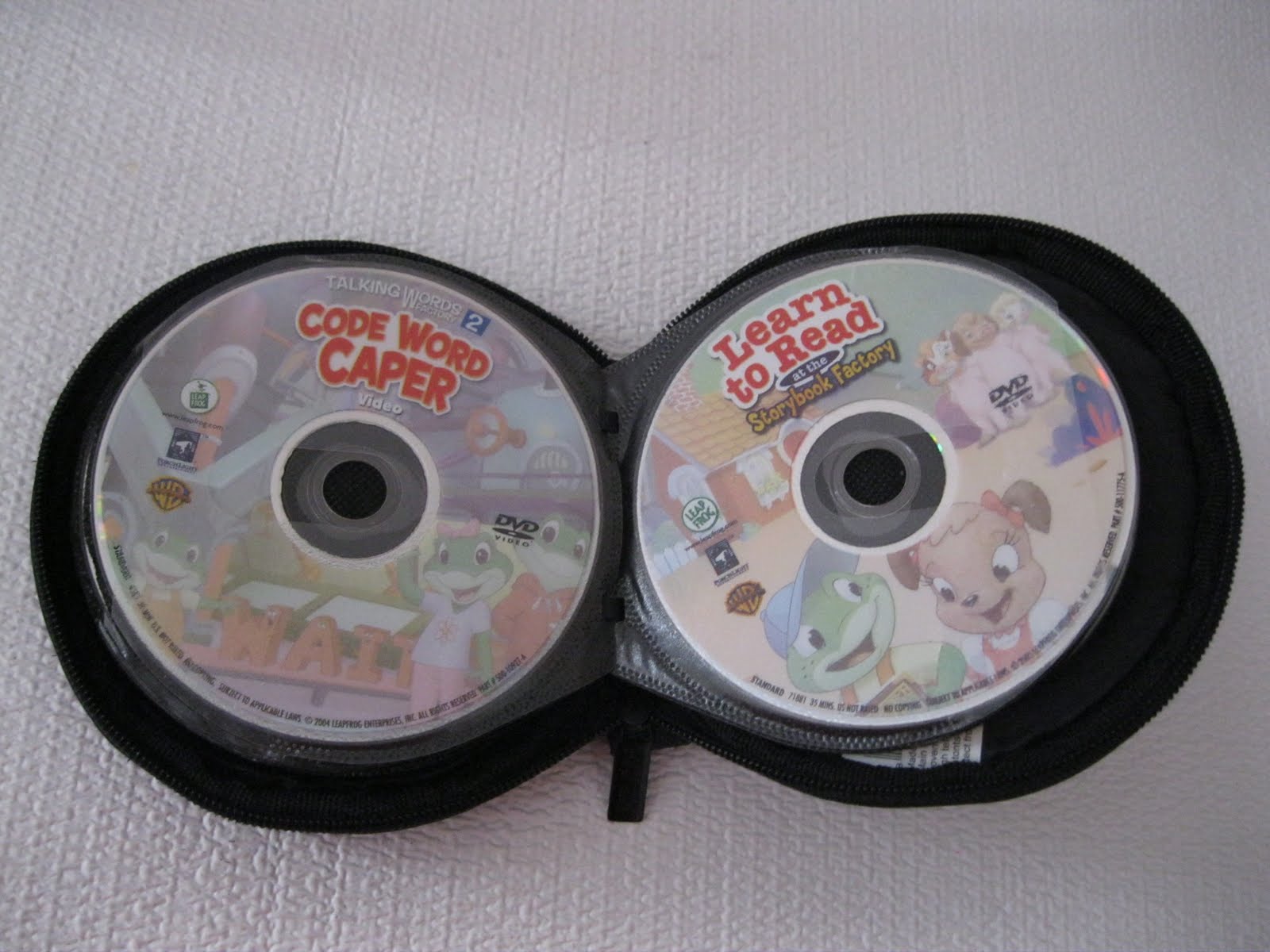
We use two CD holders for computer software.

The above picture features how I solved the CD problem.  The holders condense the space taken up by the CDs.  The CDs often ended up in the wrong jewel case.  Many of you will sympathize with that.  Now, I wish the kids would put the CDs in the sleeves; then, I would be happy.


CD games are inside the brown holder.

My teen owns a fair amount of computer games.  Those are separate from the educational software that is pictured below.  


Educational software is in the black holder.

My youngest can take this holder to her computer.  The software for her age is at the beginning of the "pages."

File cabinet drawer holds CD cases.

Currently, the cumbersome jewel cases for the CDs are held in a drawer of a filing cabinet.  I have kept the jewel cases with instruction manuals.  I might sell the software in the future.  The software sells better if it is complete with the jewel case and manuals.  I can always use the money to buy new software.


Blue holder has Educational audio CDs.

This smaller CD holder is for us to take educational DVDs and audio CDs with us in the car.  Again, the holder reduces the space taken up.  You know that when going on a trip, you are often pressed for space.  This way, you can tuck the collection in a bag, without worrying that the CDs and DVDs will end up all over the place, possibly breaking.


Blue CD holder has some of our educational DVDs.

Well, I have shown here some ideas on how to organize different collections of educational video games, DVDs, and computer software within the homeschool environment.  Yes, the collections are in different sizes, colors, and shapes of containers.  Since I am on a limited budget, I have had to shop in my own home for the best containers. 

Thanks for reading this blog entry.

How about you, my readers?  How do you organize your video games?  How about your computer software?  Do you own music CDs?  I encourage you to evaluate if you have the right containers to hold your music and video collections.  The collections might need to be moved into different containers.

I pray that God bless you all, my dear readers, with His wisdom and peace.

This has been an entry for Thorough Thursdays

Tuesday, May 3, 2011

D is for Using a Digital Camera as a Tool to Teach


I'm currently participating in an ABC's for homeschooling challenge.  
Since it falls on Tuesdays, I am adding a technological slant to the challenge.  
I hope you stay tuned and enjoy my entries.


I started out my blog for various reasons.  The most important reason is that I wanted to record life lessons for my children.  I have found, through blogging, that pictures can carry the messages a long way.  Visual cues provide visual learners a way to relate to the information with a much more keen interest in the content.  I, myself, am a visual person so I understand this concept.


Digital cameras can be wonderful teaching tools.

In my blog reading, I have sought out blogs that provide rich images of how mothers organize their own homes.  I am loving this springtime cleaning season.  Many mom bloggers are taking before and after pictures of their decluttering and reorganization of specific rooms.  I love seeing their ideas come to fruition.  The explanations provided entice me to try out some of their ideas, often with my own tweaking.

You might think that I am only referring to myself and my enjoyment of taking photographs.  I have been fortunate enough to have taken some lessons in photography in my junior high and high school years.  They have shaped the way I take photographs.  I don't claim to be an expert.  I just know what I want to convey through my pictures.

Picture-taking is essential for me for several reasons.  Yes, I capture memories.  Yes, I love to record vacations and milestones.  Who doesn't?  I, more importantly, want to teach with my photographs.


Picture of organization of a bedroom, essential to homemaking

For example, to teach homemaking to my children, I am taking before and after pictures of my decluttering efforts in my own home.  I want to show my children about the importance of organization for a home to run efficiently.  It is important that they learn the skill of organization for when they have their own homes.  I am taking the time to jot down notes and adding before and after pictures to my blog entries about organization; I want to provide my children with examples of cleanliness in a home.  It might give them inspiration to reorganize their own bedrooms after seeing what I can do.


Picture of a cooked meal is a wonderful teaching tool.

Another way I use photography to teach my children is in the area of cooking.  I am enjoying blogging and taking pictures of meals (and their ingredients) that my children can make for themselves.  I have blogged about making soups, salads, and tacos.  I have made a point about making meals that are colorful for the eyes, too.  A melody of colors in a meal can lure people into eating your delicious, healthy meals.


Pictures of gardening help teach about science.

Of course, I must mention gardening.  My children should know about plants for science.  Is there a better way to learn about plants than to plant seeds and watch them grow?  I love the fact that out of seeds something big, juicy, and delicious grows out of the earth to eat.  My children have gardened for several years, but with pictures, those memories have been recorded for later viewing.


Well, thanks for reading this entry.  I hope I have provided some advice on how to use a digital camera to teach in your homeschool.  Even if you don't homeschool, all adults and children can use digital cameras to capture memories to teach others on any given subject, including family history, for example.  I hope you will give it a try, if you haven't already.  Photography can provide a different dimension to learning for your children.
 
How about you, my readers?  Do you own a digital camera?  Do you let your children use it?  I encourage you to use a digital camera to create opportunities to provide visual aids in your teaching.  Photography, in itself, can be quite fun, too!

I pray that God gives you all, my beloveds, His wisdom and peace.

This has been an entry for the Technology Tuesdays series.

Friday, April 22, 2011

Celebrating Kaelyn's Sixth Birthday


Kaelyn turned six years-old.


The past weekend and into this current week, we have celebrated my youngest daughter's birthday.   She kept counting down the days to the 20th with the help of the calendars.  Her father made two chocolate cakes.  It has been fun lavishing kisses and hugs on Kaelyn.  She finally turned six years-old on Wednesday.  

I recounted to her the story of her birth. 

Kaelyn in my tummy
I told her about how she grew inside of me.  I told her about how I bled while I carried her inside of me.  I told her that I was afraid that she was gonna die, like I thought her brother, Rafael, might have.  (I had placenta previa, premature separation of the placenta from the uterus, when I was pregnant with Rafael.)  I told her how I pushed hard so she could come out of my tummy.


This was a special corner I made for Kaelyn.

Even though I can still recall the pain that followed after her birth, I know it was worth it.  All the reclining I did was worth it, too.  I did not want to lose her.  She has been a wonderful blessing.  Her siblings have spent countless hours playing with her, feeding her, and caring for her, too.
Kaelyn was playing on an electronic, educational toy.


Eventually, Kaelyn has become more independent.  She is learning so rapidly.  She is already reading and writing.  Today, she started her work without anyone's prompting.  Her sister was still in bed.


Does Kaelyn know how to strike a pose?

Kaelyn is my girlie girl.  She likes to read like her siblings do.  She likes to play on the Wii like her brothers.  She likes to draw and color like her older sister, Iris.  Kaelyn likes to watch Blues Clues on Netflix.

I love my baby girl.  I love all my babies, and they know it.  I don't have favorites.  I just wanted to record this special moment as a sort of digital scrapbook for my daughter on her sixth birthday.  I hope you all will understand that I simply want to record this for her.

Thanks for reading this entry and viewing the pictures.  I hope you enjoyed it.

May God bless you all with His wisdom and peace.

This entry has been part of the Family Fun Fridays series. 

LinkWithin

Related Posts Plugin for WordPress, Blogger...